
Bluetooth sound quality on Linux
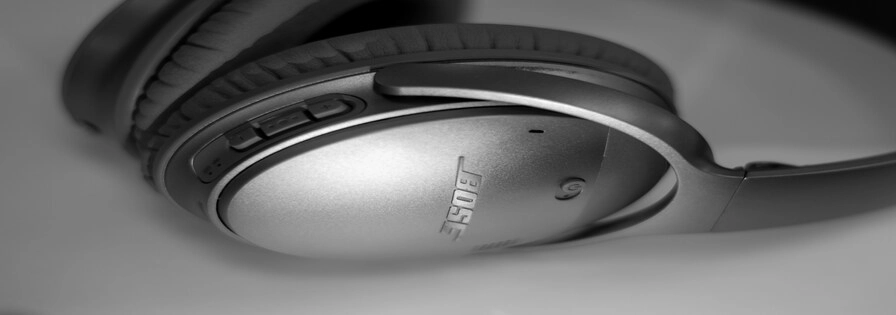
productivity linux ubuntuI have owned a pair of Bose QuietComfort headphones for years, but I recently upgraded from the wired version to a Bluetooth model.
While they have worked flawlessly on my Lenovo Carbon X1 laptop since day one, the audio quality was terrible on my newly built desktop. To resolve this, I began investigating the root of the problem.
My desktop uses a X870 GAMING WIFI6 motherboard, which features the Realtek RTL8851BU Bluetooth chipset. After some research, I discovered a few essential steps to optimize the Bluetooth experience and restore high-fidelity sound.
Install dependencies
sudo apt update
sudo apt install pipewire pipewire-pulse wireplumber pulseaudio-utils libspa-0.2-bluetooth
1. Optimize PipeWire
sudo mkdir -p /etc/pipewire/pipewire.conf.d
sudo tee /etc/pipewire/pipewire.conf.d/99-bt-buffers.conf > /dev/null << 'EOF'
context.properties = {
    default.clock.quantum = 1024
    default.clock.min-quantum = 1024
    default.clock.max-quantum = 2048
}
EOF
2. Set the better profile for the headphones
I discovered I was using the wrong Bluetooth profile, which caused the audio to cut out and sound scratchy. Once I switched to the A2DP (Advanced Audio Distribution Profile) Sink, the sound quality was exactly as I expected.
sudo mkdir -p /etc/pipewire/media-session.d
sudo tee /etc/pipewire/media-session.d/99-bose-a2dp.conf > /dev/null << 'EOF'
context.properties = {
    bluez5.a2dp-codec-priority = {
        "BC:87:FA:1B:B7:F0" = "sbc_xq"
    }
    bluez5.default-profile = {
        "BC:87:FA:1B:B7:F0" = "a2dp-sink"
    }
}
EOF
3. Disable USB autosuspend (Realtek BT fix)
sudo tee /etc/modprobe.d/realtek-bt.conf > /dev/null << 'EOF'
options usbcore autosuspend=-1
EOF
4. Update initramfs
sudo update-initramfs -u
5. Restart services
systemctl --user daemon-reload
systemctl --user restart pipewire pipewire-pulse wireplumber
sudo systemctl restart bluetooth
If you have a music client like Spotify open, you will need to restart the application for the new settings to take effect.
Script
To simplify the process, I have combined these steps into a script that automates the entire configuration (Steps 1–5) and ensures your settings remain persistent.
#!/usr/bin/env bash
set -e

echo "▶ Setting up PipeWire Bluetooth optimizations..."

# 1. PipeWire buffer tuning
sudo mkdir -p /etc/pipewire/pipewire.conf.d
sudo tee /etc/pipewire/pipewire.conf.d/99-bt-buffers.conf > /dev/null << 'EOF'
context.properties = {
    default.clock.quantum = 1024
    default.clock.min-quantum = 1024
    default.clock.max-quantum = 2048
}
EOF

echo "✔ PipeWire buffers configured"

# 2. Force Bose QC to use A2DP SBC-XQ
sudo mkdir -p /etc/pipewire/media-session.d
sudo tee /etc/pipewire/media-session.d/99-bose-a2dp.conf > /dev/null << 'EOF'
context.properties = {
    bluez5.a2dp-codec-priority = {
        "BC:87:FA:1B:B7:F0" = "sbc_xq"
    }
    bluez5.default-profile = {
        "BC:87:FA:1B:B7:F0" = "a2dp-sink"
    }
}
EOF

echo "✔ Bose QC forced to A2DP SBC-XQ"

# 3. Disable USB autosuspend (Realtek BT fix)
sudo tee /etc/modprobe.d/realtek-bt.conf > /dev/null << 'EOF'
options usbcore autosuspend=-1
EOF

echo "✔ USB autosuspend disabled"

# 4. Update initramfs
sudo update-initramfs -u

# 5. Restart services
systemctl --user daemon-reload
systemctl --user restart pipewire pipewire-pulse wireplumber
sudo systemctl restart bluetooth

echo
echo "🎧 DONE!"
echo "Reboot recommended for full effect."
echo "After reboot, your Bose QC will always use SBC-XQ A2DP."
If you want to have a visual insight you can install pavucontrol.
sudo apt install pavucontrol
The start the pavucontrol
- Go to the “Configuration” tab
- Find your Bose QC Headphones
- Set Profile → High Fidelity Playback (A2DP Sink)
Hope you will have better sound now.
Want to Hire Me?

I work as a freelancer in my company 7th Green. My strengths include TYPO3, PHP, DevOps and Automation.
Reach out, I'd be happy to talk about your project.
